.svg)
Stop wasting time with bad AI prompts. Learn our 5-step R-G-C-F-C formula to direct LLMs (ChatGPT, Gemini) and 10x your output quality now.
If you’ve spent five frustrating minutes trying to get an AI to write a simple email, only to receive five pages of philosophical musings, you’re not alone.
The world’s best AI tools—including our own SalesApe AI Agents—are powerful, but they operate on a fundamental principle: Garbage In, Garbage Out. If your prompt is vague, your output will be vague, wasteful, or just plain useless.
To get 10x the results from any Large Language Model (LLM) like ChatGPT, Gemini or Perplexity, you need to think less like a user and more like a director.
Here is our 5-Step Formula for crafting the perfect prompt that turns vague ideas into powerful, actionable output.
To build the perfect prompt, you must clearly define five components for the AI. Think of it as Role, Goal, Context, Format, and Constraint.
The most common mistake people make is treating the AI like a search engine. You must treat it like an actor, assigning it a specific, powerful identity. This immediately elevates the quality of the response by dictating style, tone, and knowledge base.
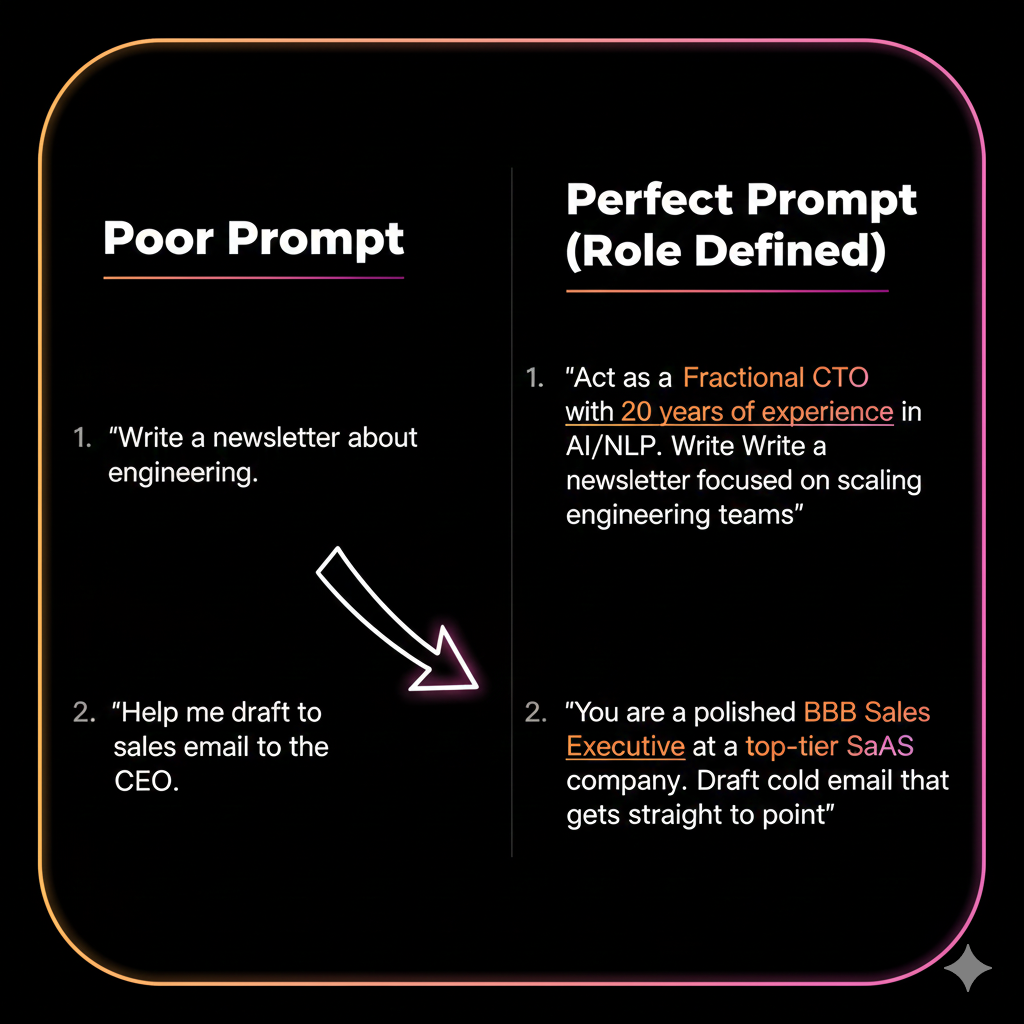
Why this works: Defining the role forces the AI to activate its training on that specific persona, using industry jargon, appropriate tone, and relevant examples.
Be ruthless about clarity. If you ask for a summary, you'll get a summary. If you ask for a summary that compels an immediate action, you get a result that delivers business value.
The Goal must be a single, measurable outcome.
The more constraints you put on the goal, the better the final output will be.
The AI needs the necessary background to make its output relevant to your specific situation. Don't assume the AI knows your business or audience (even if you’ve already shared this info in a previous conversation).
You must provide the "Who, What, and Why" that dictates the content.
This step is essential for making generic AI output sound like it came from your specialized team.
AI models love structure. If you leave the format open-ended, you risk getting a massive wall of text. By defining the format, you make the output instantly usable.
Always specify the structure you want:
Bonus Power Move: You can even use this to establish tone, e.g., "Write the entire response in the style of a 1940s detective."
The Constraint is what forces the AI to work harder and more creatively, often eliminating obvious or bland responses. This step is about adding a final layer of difficulty.
Use Constraints to:
By imposing this final constraint, you ensure the AI focuses on quality over quantity and forces it to think outside the box it might have been trained in.
Here is a full, powerful prompt using all five steps:
"[R] Act as a Senior Product Manager at a B2B SaaS company that sells workflow automation software. [G] Write a compelling, 300-word product description for a landing page that focuses on driving sign-ups for a free trial. [C] Our target audience is mid-level HR managers who are burnt out on administrative tasks. The main pain point is onboarding new staff. [F] Use three clear headlines followed by short paragraph descriptions. [C] Do not use any technical jargon, and ensure the tone is empathetic but action-oriented."
Follow this R-G-C-F-C structure, and you'll go from wasting time to 10x-ing your AI output in every single conversation. It's the same rigorous process we use to train our SalesApe Agents to perfection.
Whilst running through your R-G-C-F-C formula, remember you’re talking to a machine. You’re not going to hurt its feelings, it’s not going to report you to HR if you ask it to redraft a piece of work, it’s not going to think you’re rude because you didn’t ask how its kid’s little league team is doing.
Your human copy writer might not appreciate being micromanaged but your LLM likes as much detail as possible.
The R-G-C-F-C (Role, Goal, Context, Format, Constraint) framework is universal for all generative AI.
The key is that you are always providing specific constraints to drive higher quality.
Length doesn't matter; density does. A short prompt with high information density (e.g., "Act as a CTO and write a one-sentence, punchy UVP for our product") is better than a long, rambling one. A longer prompt is necessary when you need to provide extensive Context (C) and specific Constraints (C). Always aim for the minimum number of words required to clearly and precisely convey the R-G-C-F-C information.
This is where prompt engineering gets technical!